Getting started
How to Set Up and Connect Rokid Glasses for the First Time

Rokid Glasses is a real-time translation smart glasses that connects to your phone via the Hi Rokid app. It has a built-in camera for video and photos, works as Bluetooth headphones, and has an internal display that shows real-time translated subtitles. This guide walks you through setting up and connecting your glasses for the first time.
Step 1 — Download the Hi Rokid app
Search for and install the "Hi Rokid" app from the App Store (iOS) or Google Play (Android).

Step 2 — Create an account or sign in
Open the Hi Rokid app and create a new account, or sign in if you already have one.
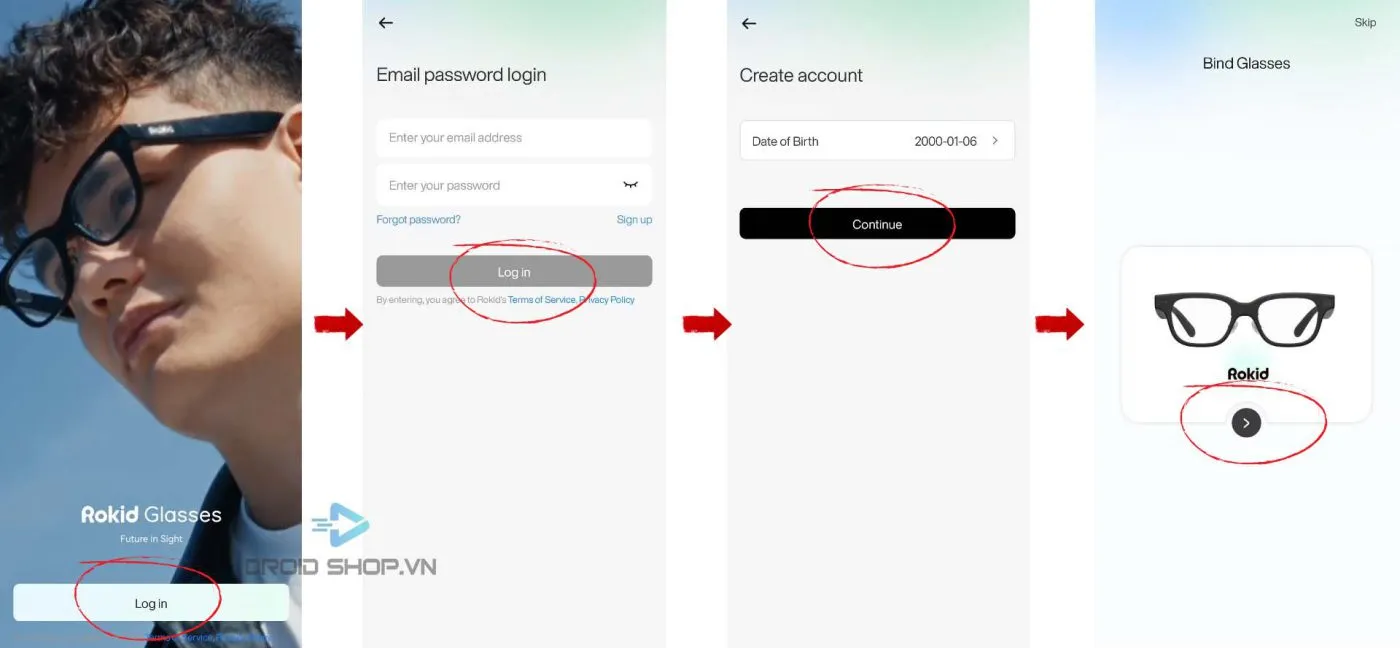
Step 3 — Connect the glasses to your phone
- Press and hold the camera button on the glasses for 3 seconds to turn them on.
- Turn on Bluetooth on your phone and accept every permission the app requests.
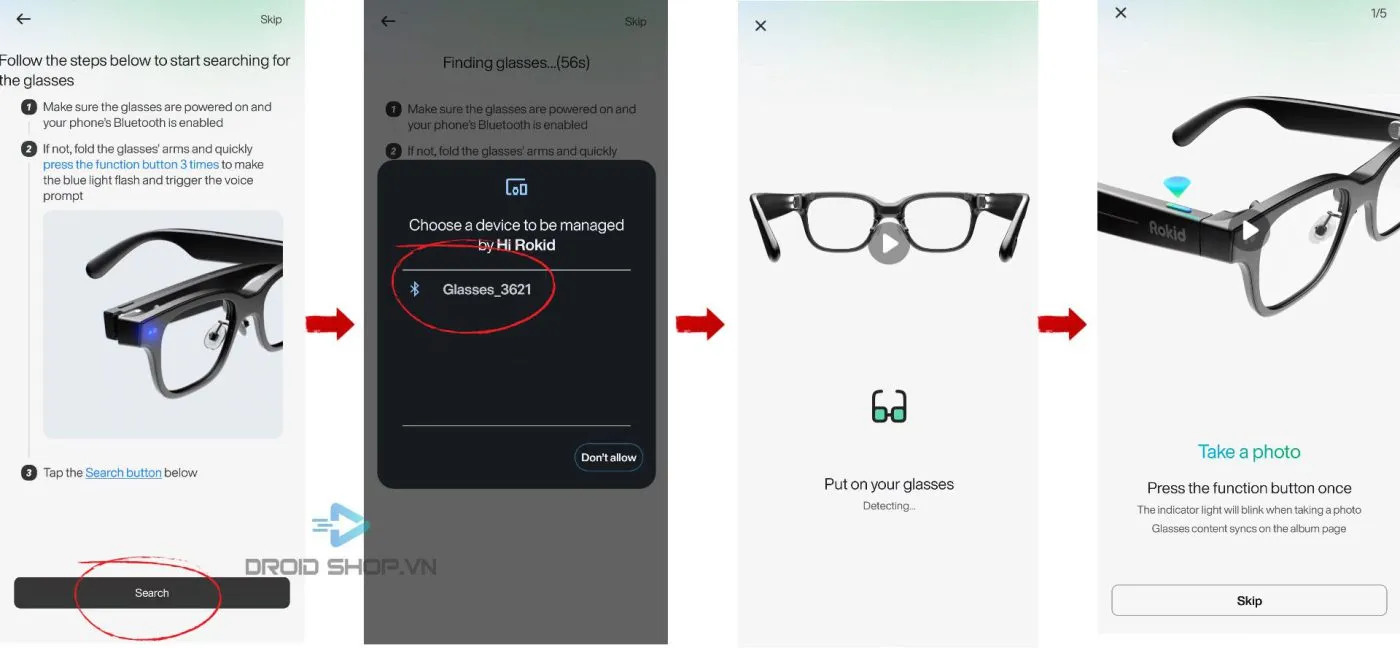
- Fold the right temple and quickly press the camera button 3 times in a row until the LED turns blue.
- In the app, tap Search to find the glasses.
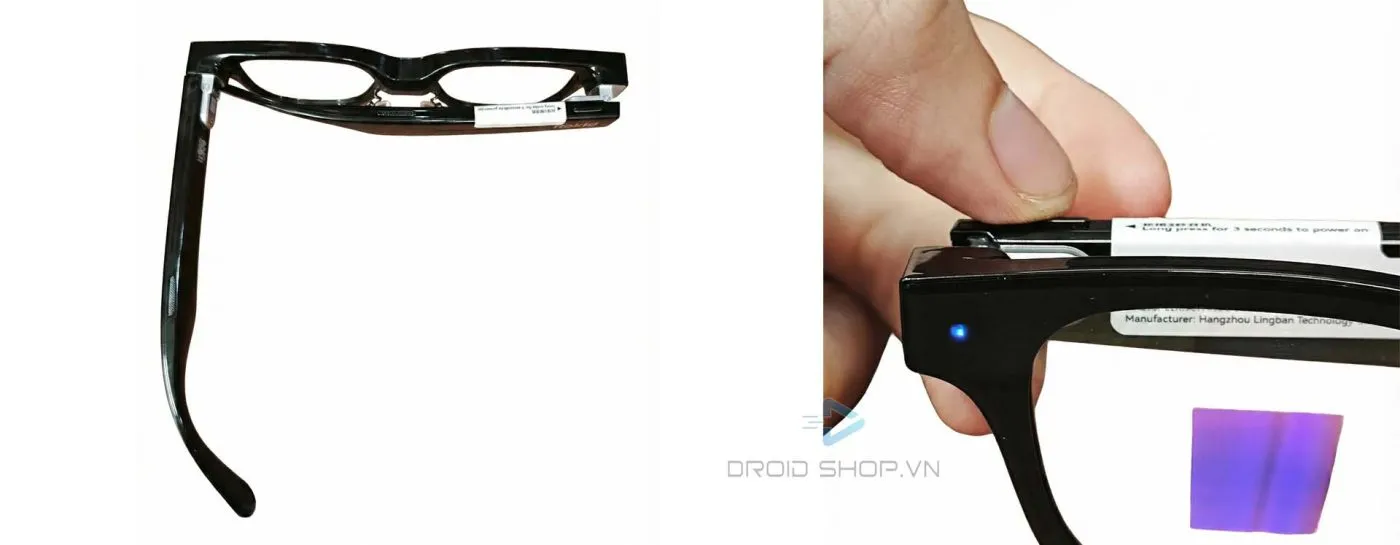
Important: accept every permission the Hi Rokid app requests so it can work properly. Declining any permission will prevent the glasses from connecting.
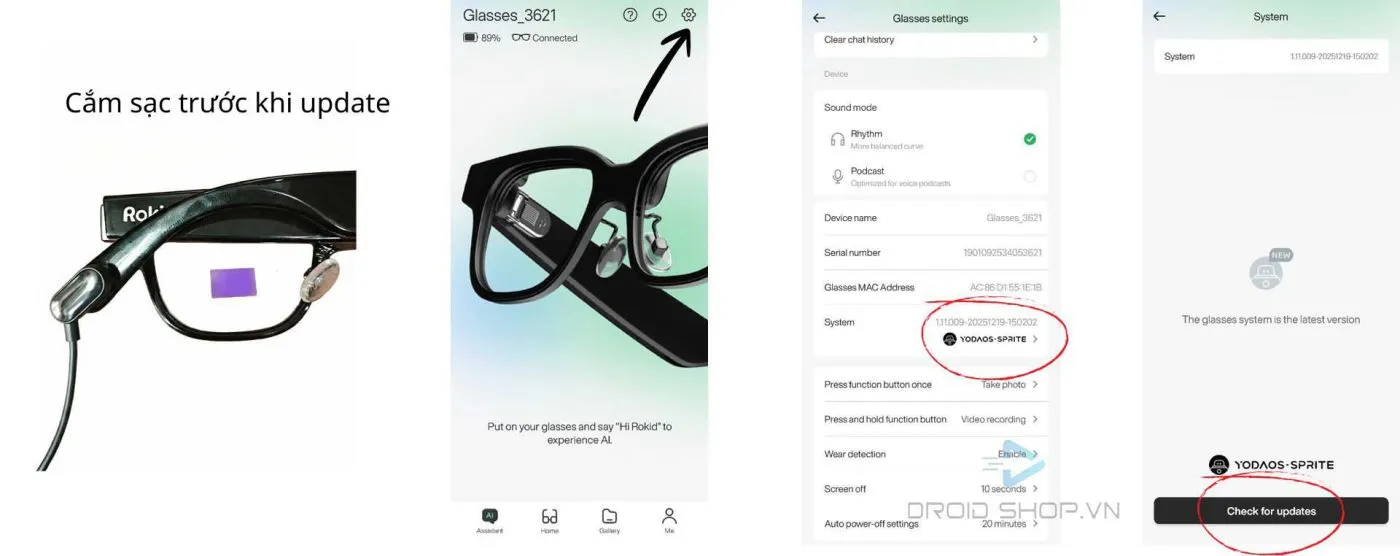
Updating the glasses' firmware
Before updating the firmware, plug in the glasses to charge to avoid an interruption mid-update.
Pairing with a new phone
Each pair of glasses can only be paired with one phone at a time. To switch to a new phone, simply repeat the pairing steps in Step 3.
Before pairing with a new phone, download any photos or videos stored on the glasses first to avoid losing your data.
Troubleshooting pairing issues
- Make sure the glasses are powered on — put them on; if you hear a sound, they're on.
- Make sure Bluetooth on your phone is on and stays on during pairing.
- The glasses may be out of battery — charge them and try again.
- If pairing still fails, press and hold the function button for 12 seconds to force the glasses to restart.
Once connected, don't quickly press the power button 3 times again — doing so will put the glasses back into pairing mode and disconnect your current connection.